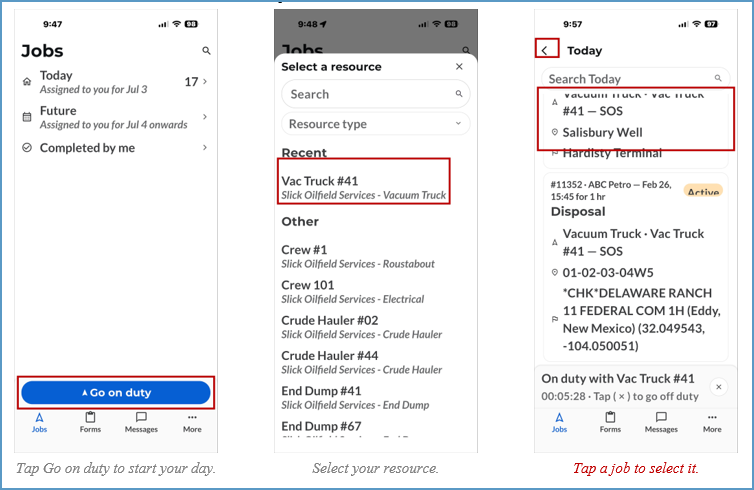
Going on Duty
- Log in to IronSight
- Tap the blue Go on duty button
- Tap your resource for the day
- Preview your assigned jobs, then tap one to open it
- By default, overdue jobs appear first, followed by today’s jobs
- Tap the back arrow at the top to view all job groups
- Pull down on the screen to refresh the job list